How e-signed document integrity is protected: hashes, audit chains, and finalisation
The integrity of an electronically signed document is protected in three layers: the content is locked once it is sent, the final file receives a digital fingerprint in the form of a hash, and every event is recorded in an audit trail whose entries are linked like a chain. If a single bit of the file or a single line of the record is changed, the change can be detected.
 Resmi.ID Team · 6 min read ·
This article explains how those three layers work behind the scenes, why the law asks for them, and the everyday habits that can unknowingly damage evidence that took effort to build.
Why integrity is a legal requirement
Article 59(3) of GR 71/2019 requires that any change to an electronic signature, and to the signed electronic information, after the time of signing can be detected. Article 62(6) reinforces this: changes after the time of signing must be known, detected, or identified using a particular method.
The elucidation of Article 60(1) of the same regulation also states that an electronic signature must allow competent experts to examine and prove that the signed information has not changed since it was signed. So the question is not only who signed, but also whether the document you hold today is exactly the one that was approved.
Layer one: content is locked once sent
On docs.resmi.id, a document in draft status can still be changed freely: its content, its signers, and its e-Meterai settings. Once you press send for signing, the content is locked. If something turns out to need changing, the document must be cancelled and recreated, not quietly edited mid-process.
This rule matters because the first and last signers must approve the same text. Article 62(3) of GR 71/2019 also requires that the information to be signed is known and understood by the signer before signing. That is why the signing page offers a button to view the document before the recipient signs it.
Layer two: a hash fingerprint on the final file
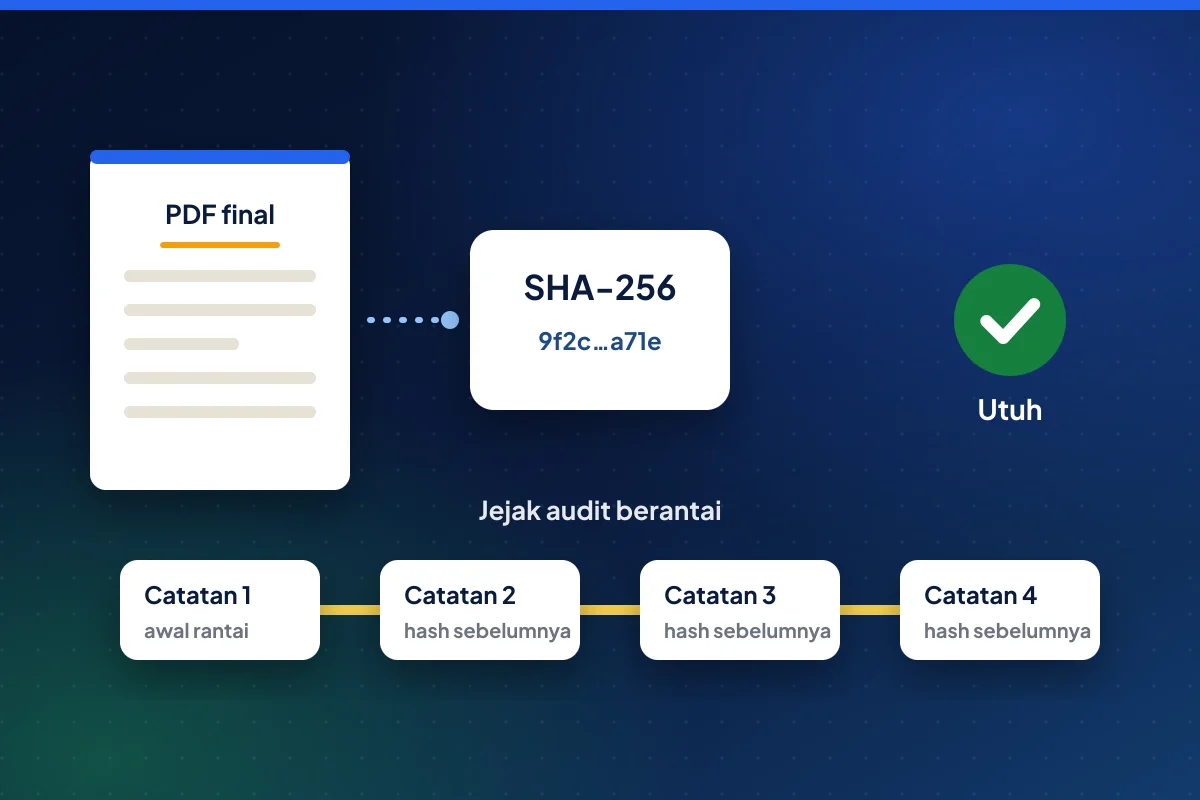
A hash is the result of a mathematical calculation over the entire content of a file, producing a string of fixed length. docs.resmi.id uses SHA-256. It behaves like a fingerprint: the same file always produces the same hash, while any change, even a single bit, produces a completely different hash.
Once every required signer has finished, the system finalises the document. The signatures, the e-Meterai if selected, and a verification QR code on every page are placed into the PDF, then the SHA-256 hash of the final file is calculated and stored with its verification code. From that point on, the final PDF is the reference.
Anyone holding the file can match it on the public verification page. The hash is calculated in the browser on their own device and only the result is compared, so the file's content does not need to be uploaded to the server.
Layer three: a chained audit trail
The audit trail records every event on a document: created, file uploaded, sent, opened by a signer, signed, declined, e-Meterai applied, through to completion. Each entry stores the hash of the previous entry for the same document, and the entry's own hash is calculated from that previous hash combined with its content.
The result is a chain. If someone changes, inserts, or deletes an entry in the middle, the hashes of the entries after it no longer match. On docs.resmi.id, this chain is recalculated every time the public verification page is opened, rather than simply showing a stored status, so a silent change shows up as a broken chain.
There is a small but important technical detail. If two signers sign at almost the same second, both could read the same last entry and the chain would fork. To prevent this, entries for a single document are appended one at a time. In addition, the full trail containing IP addresses and devices is visible only to the document owner in the dashboard, while the public verification page shows only event types and times with signer names masked. That way, anyone can check the integrity evidence without exposing the parties' personal data.
What this proves, and what it does not
- The hash proves that the file you hold is identical to the final file that was issued. It does not judge whether the agreement's content is fair or correct.
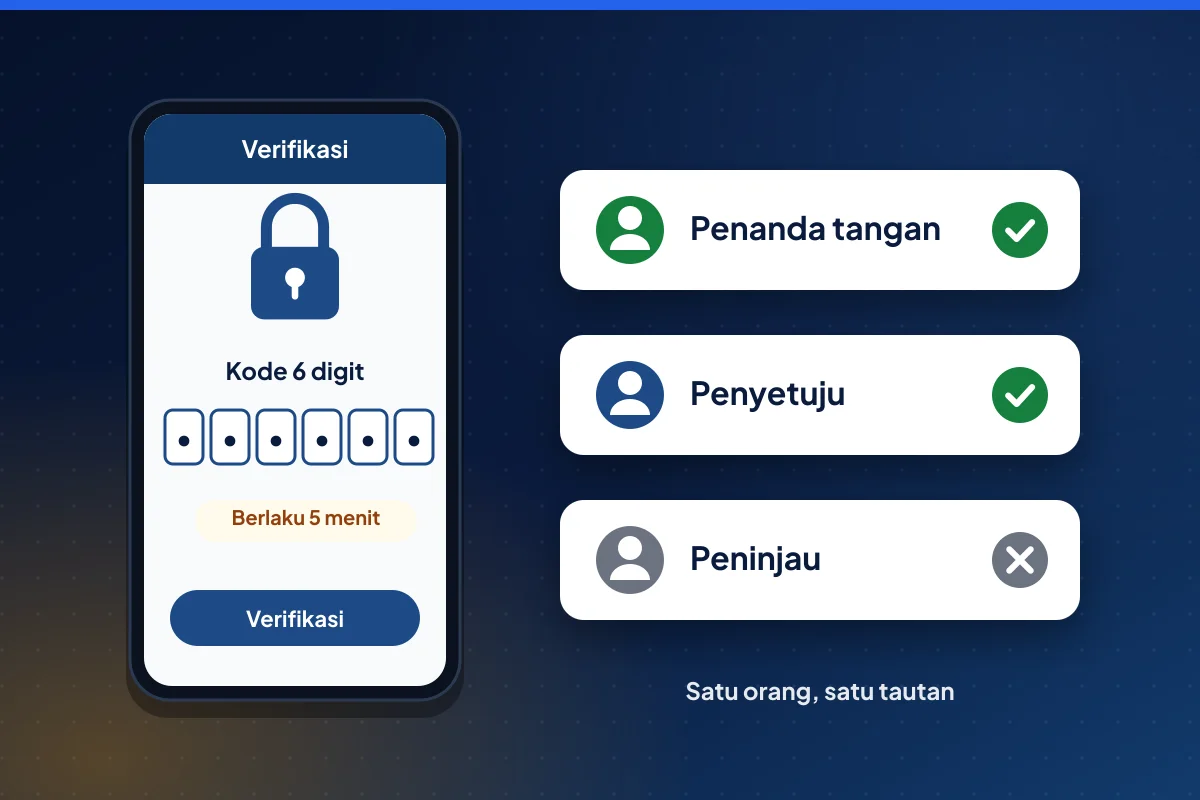
- The audit trail shows the order of events and who performed them. Its strength depends on identity verification, such as an OTP sent to the correct email or WhatsApp number.
- The verification code shows the document was issued through the system and by which business. A revoked code means the document should no longer be relied on without confirming with the issuer.
- Signatures on docs.resmi.id are not PSrE-certified. The integrity described here is supporting evidence, not an electronic certificate in the signer's name.
So if a document's authenticity is ever challenged, prepare all three together: the original PDF, the match result from the verification page, and the exported audit trail. They reinforce one another and are far easier to examine than any one of them alone, especially when the check takes place years after the document was signed.
Archiving habits that keep the evidence intact
Example: a company's finance team compresses every final contract to save storage space. A year later, when a dispute arises, the archived file no longer matches the hash on the verification page. The content may look identical, but digitally the file has changed, so proving its authenticity takes extra time and effort.
- 1Keep the original fileArchive the final PDF exactly as downloaded from the dashboard, without compressing, re-printing to PDF, or editing it.
- 2Record the verification codeStore the verification code in your archive or contract register so it is easy to find again.
- 3Match before relying on itBefore using a document as the basis for a payment or legal action, match the file on the verification page.
- 4Export the audit trailFor important documents, also download the activity log as CSV from the audit trail menu.
- 5Issue a new version, do not editIf the content changes, issue a new document or an addendum that is signed again.
With locked content, a final file hash, and a chained audit trail, docs.resmi.id helps you show that a document has not changed since it was signed. Your part is keeping the original file and its verification code intact in your archive.
References
- JDIH Kemenkeu — PP Nomor 71 Tahun 2019 tentang Penyelenggaraan Sistem dan Transaksi Elektronik
- JDIH BPK — UU Nomor 11 Tahun 2008 tentang Informasi dan Transaksi Elektronik
This information is general and not legal advice. For important decisions, check the latest regulations at official sources or consult a legal professional.