Automatic e-Meterai integration with company systems: from ERP and invoicing with no manual work
In many companies, applying an e-Meterai is still manual work: staff download an invoice from the system, upload it to a stamping portal, position the stamp, download the result, then upload it back. That is fine for five documents a day. For hundreds, it eats time and invites mistakes: missed documents, wrong files, or stamp serial numbers that never get recorded.
 Resmi.ID Team · 7 min read ·
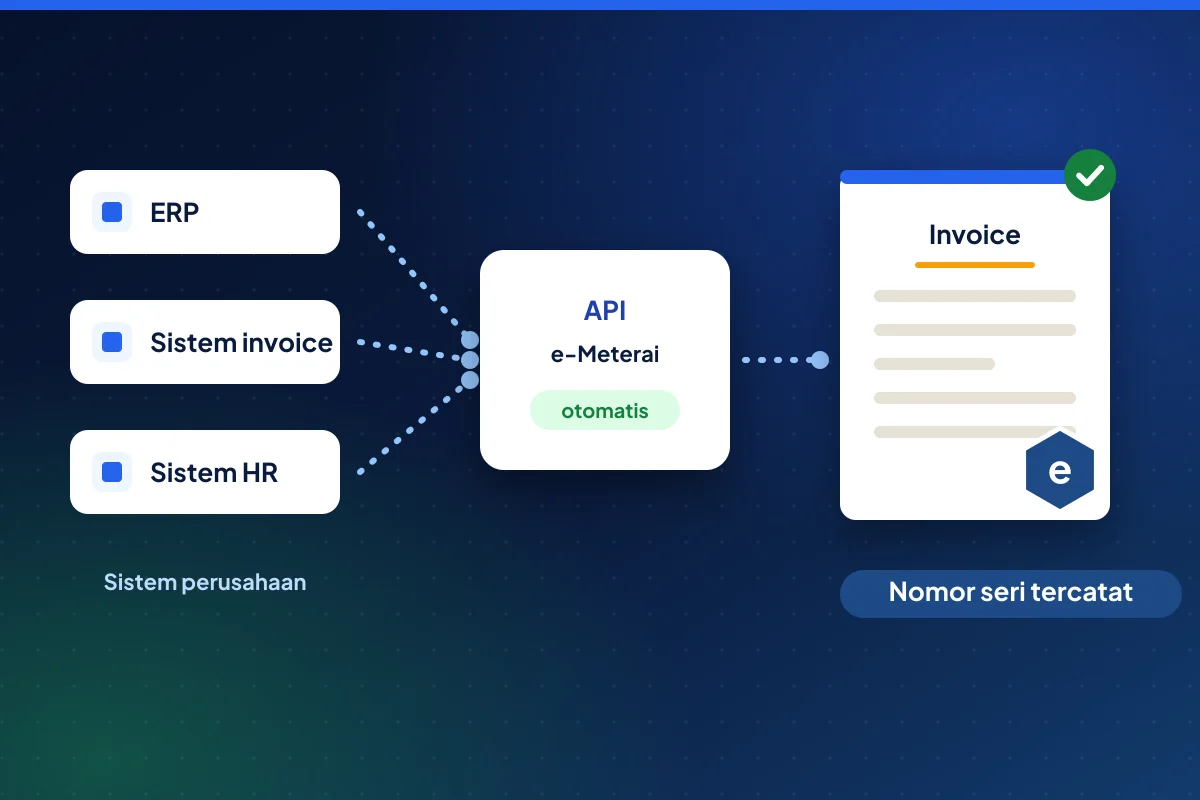
With the docs.resmi.id e-Meterai API, your own company system applies the stamp. As soon as a final document is issued, the system sends the PDF and receives back the stamped PDF and its e-Meterai serial number, with no staff involvement. This article explains how the integration works and why it is simpler than it sounds.
How it works in one sentence
Your system sends a final PDF to the API, the API applies a Peruri e-Meterai, and your system receives the stamped PDF and its serial number. You don't need a direct contract with the issuer, your own stamping hardware, or a stamp inventory bought in advance. We handle all of that behind one REST API.
Where to place the trigger
The best moment to trigger stamping is when a document becomes final in your system. Common examples:
- 1Billing systemWhen a receipt or proof of payment acknowledging more than Rp5,000,000 is issued.
- 2ERPWhen a high-value transaction document or order confirmation is approved.
- 3HR systemWhen an agreement or employee statement letter is ready to send.
- 4Financing or fintech platformWhen financing documents or proof of settlement are generated.
- 5SaaS applicationAs a feature for your own customers, without building an issuer integration yourself.
The rules for when a document needs a stamp remain your company's. Your system simply checks the conditions, such as document type and value, and calls the API only for documents that qualify.
What your system sends
A POST /emeterai request is an ordinary multipart upload, just like uploading a file from a web form. It contains:
- 1fileThe final PDF, up to 25 MB and 200 pages.
- 2document_typeThe document type from Peruri's list, such as Dokumen Transaksi or Surat Pernyataan. The full list is available from GET /emeterai/document-types.
- 3document_numberYour document number, for example the invoice number.
- 4Stamp positionThe page and a corner (bottom_right, bottom_left, top_right, top_left), or x and y coordinates in PDF points when the stamp must sit in a specific box.
- 5external_refYour internal reference, returned unchanged so results are easy to match with your data.
- 6Idempotency-KeyAn optional header that prevents a stamp from being created twice if your system resends the same request.
Authentication uses an API key in the Authorization: Bearer header. Complete examples in Node.js, PHP, Python and curl are in the API documentation at docs.resmi.id/docs, so your developers can copy and adapt them right away.
Receiving the result
Stamping runs in the background and usually finishes within seconds to a minute. There are two ways to learn the outcome:
- 1WebhookRegister one HTTPS URL on the dashboard's Developer page. When stamping finishes, we send an emeterai.stamped (or emeterai.failed) event with the serial number. Each delivery is signed with HMAC SHA-256 in the X-Resmi-Signature header and retried up to 6 times with growing delays if your server is not responding.
- 2Status pollingYour system can also call GET /emeterai/{id} periodically, which suits batch jobs or systems that cannot receive webhooks.
Once the status is stamped, download the stamped PDF from GET /emeterai/{id}/file and store it together with its serial number in the document record. The serial number is the proof of a valid stamp and makes later audits or tax reviews easier.
Why the integration is easy
- 1Standard REST APINo special SDK is required. Any language that can send HTTP requests can use it.
- 2Free test modeKeys prefixed dk_test_ use Peruri test stamps at no cost, up to 100 requests per 24 hours, so the integration can be finished and tested before any spending.
- 3Go to production without code changesReplace the dk_test_ key with a dk_live_ key. The endpoints and data format stay the same.
- 4e-Meterai-only keys"e-Meterai only" access cannot send signing documents, limiting the risk if a key leaks.
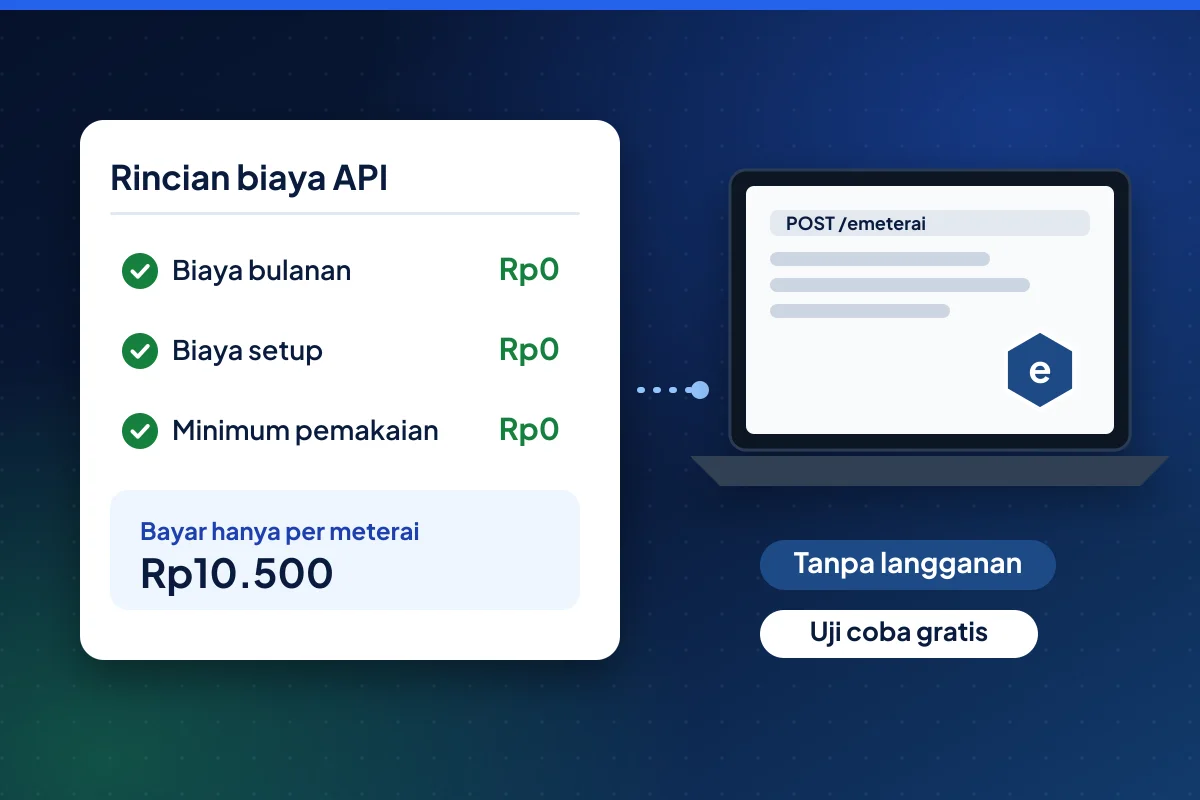
- 5Clear pricingRp10,500 per stamp as of 21 November 2026, stamp duty included, with no monthly or setup fee. If stamping fails, the fee is refunded automatically.
Implementation steps
- 1Create a test keySign in to docs.resmi.id, open Dashboard → Developer and create a test-mode key with "e-Meterai only" access.
- 2Set up the webhookRegister a public HTTPS URL to receive webhooks and keep its secret to verify delivery signatures.
- 3Connect the triggerIn your system, call POST /emeterai whenever a document that needs a stamp becomes final. Use the document number as the Idempotency-Key.
- 4Store the resultWhen the emeterai.stamped webhook arrives, download the stamped PDF, save the serial number and mark the document as stamped.
- 5Go liveTop up your Resmi.ID business balance, switch to a dk_live_ key and watch the first few documents.
Tips for a smooth production run
- 1Stamp lastSend a truly final PDF. Editing or re-saving the PDF after stamping breaks the stamp's digital signature.
- 2Queue your requestsEach key is limited to 60 requests per minute. For large batches, send through a queue rather than all at once.
- 3Verify webhooksAlways check the X-Resmi-Signature header before processing a delivery, so your system cannot be fooled by fake requests.
- 4Handle failuresThe emeterai.failed event carries an error code. The fee has already been refunded, so the document can be resent once the cause is fixed.
- 5Spot-check resultsStamped PDFs can be checked for integrity at docs.resmi.id/cek-emeterai.
References
- JDIH BPK — UU Nomor 10 Tahun 2020 tentang Bea Meterai
- JDIH BPK — PMK Nomor 78 Tahun 2024 tentang Ketentuan Pelaksanaan Bea Meterai
This information is general and not legal advice. For important decisions, check the latest regulations at official sources or consult a legal professional.